

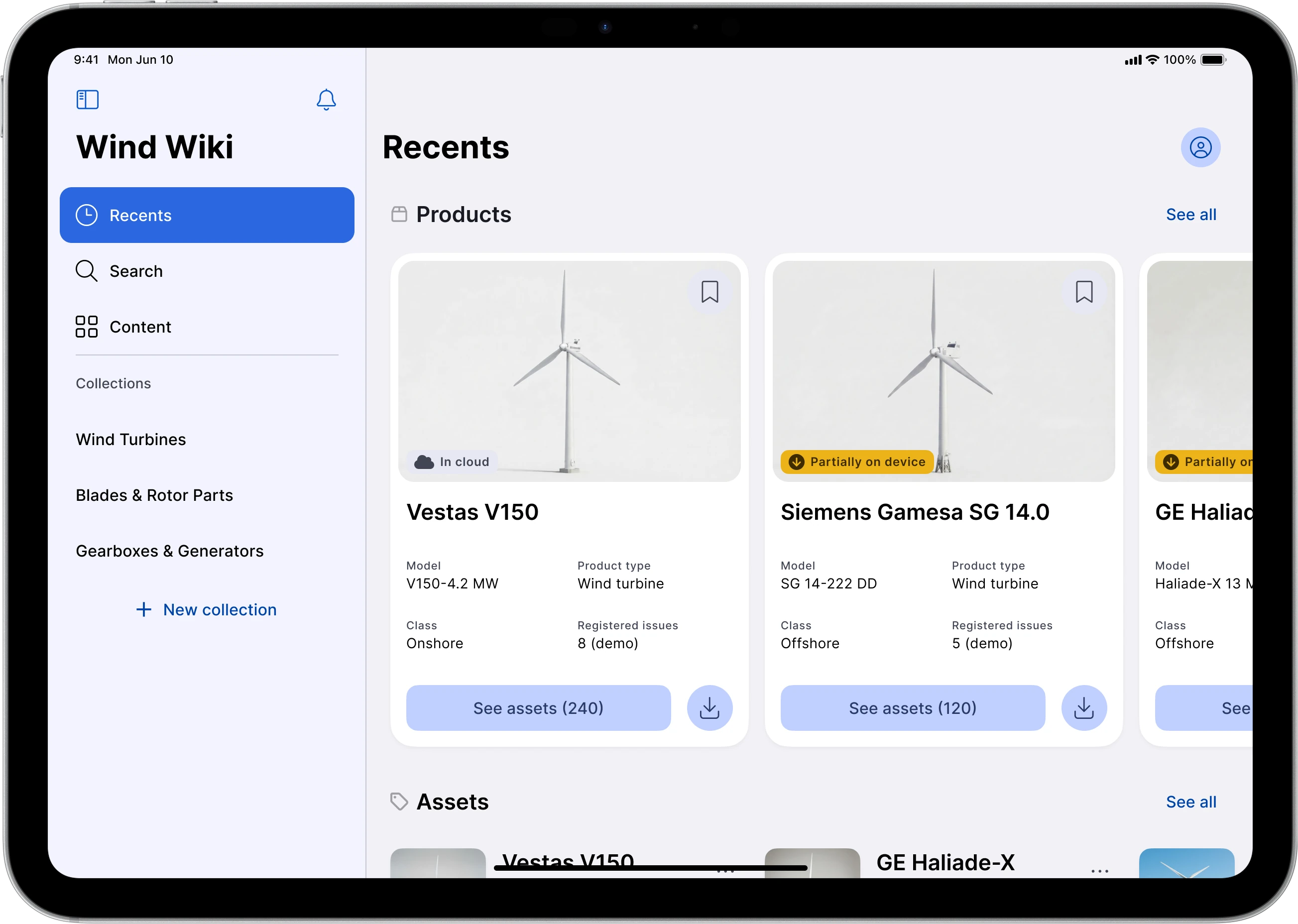
Quanos InfoTwin¹ is a cloud platform for technical documentation and spare parts. Quanos asked for a companion app that service technicians could use offline, mainly on tablets. The brief came from the managers who buy the tool; nobody had asked the technicians who would use it. I was brought in to design the app, and made the case to add research to the work. 8 interviews with technicians changed Quanos’s plan: the app was no longer for tablets only. It shipped in November 2024 and is still updated.
- role
- solo designer and researcher
- team
- 2 product managers, 1 technical director, 1 scrum master, 3 Flutter² developers
- timeline
- 5 months, February to August 2024
- methods
- user interviews, benchmarking, usability test preparation
Problem
Quanos asked for a fully offline tablet app, briefed by the managers who buy the tool. Technicians would have had to pick documentation to download without seeing it first, and nobody had asked them how they work.
Solution
8 interviews with service technicians, then an app with an online and an offline mode: search and preview online, download what you need, keep working offline. Google’s Material You² adapted for gloves, dirt and stiff touchscreens.
Results
The research changed Quanos’s plan, from tablets only to mobile too. The project grew from 4 to 5 months. The app shipped, and almost all of the design is still in it.
TL;DR the short version
- The ask
- Quanos wanted a fully offline tablet app for service technicians, as a companion to its InfoTwin cloud platform. The brief came from the managers who buy the tool; nobody had asked the technicians who’d use it.
- What research showed
- Tablets barely came up. In 8 interviews, technicians said laptops do the real work, they print documentation when there’s no signal, and they want content offline on mobile. Gloves, dust and oil make small touch targets hard to hit.
- What I designed
- An app with an online and an offline mode: search and preview online, download what you need, keep working offline. Google’s Material You, adapted for gloves, dirt and stiff touchscreens, with bigger buttons.
- Impact
- The research changed Quanos’s plan: the app went to mobile as well. The project grew from 4 to 5 months to make room for research and test preparation. The app shipped in November 2024.
- What stayed
- Almost all of the design is still in the app today. The usability tests I prepared were run by the in-house designer after I left.
01 — the challenge
a companion app that had to work with no signal
the brief was a tablet app that works fully offline
Design a cross-platform tablet app for service technicians so they could use it offline.
- Sensitive equipment
In some areas, rules ban connected devices near the equipment technicians assemble or fix.
- Restricted sites
Some places don’t allow any device with a signal inside, for example a military plant or a high-tech medical laboratory.
- No connection at all
Some sites are simply too far from anywhere, for example a wind farm in the middle of the North Sea or a mine in the Canadian woods.
for some customers, the app was a condition
Some of Quanos’s customers asked for the app. For some, it was a condition of becoming, or staying, a Quanos client. Quanos was rolling out the InfoTwin cloud platform as its main tool, and this app was to be its companion.
In the first idea, the app connected to InfoTwin, where the documentation lives, and technicians had to choose what to download without being able to tell if it was the right documentation.
02 — what it depended on
the people who’d use it hadn’t been asked
the brief came from the people who buy the tool, not the people who use it
Like most B2B software companies, Quanos talked to the managers who choose the tools their teams use. The managers asked for a tablet app for offline work with documentation, and that became the brief. Nobody had asked the service technicians what they need in the field, or how they work with documentation.
Research goal
Find out how service technicians actually work with documentation in the field, and what would make a tablet app worth using, online and off.
what I assumed going in
Before the interviews, I set six hypotheses to test.
- 01Service technicians are equipped with protective clothing that makes it difficult to use touch devices
- 02Service technicians are using touch devices like tablets while working in the field
- 03Service technicians often face challenges with internet connectivity while working in the field
- 04Service technicians frequently search through the tool for the required content
- 05Service technicians prepare for their visits in advance
- 06Service technicians are interested in collecting specific parts of documentation and other content items into custom groups
from first interview to handover in 5 months
I started with and , mapped the , adapted a , designed the , prepared the and finished with a .
Step 01: User interviews
8 in-depth remote interviews with field service technicians, team leaders and managers.
- what came out
- Answers to six research objectives, a persona and 7 design challenges.
Step 02: Benchmarking
Jira, Confluence³, Notion⁴ and Apple Notes⁵ on tablets, for patterns and experiences technicians might already know.
- what came out
- Cloud documents and downloaded ones, clearly marked apart.
Step 03: Information architecture
The cloud platform as it was, and the companion app as it should be: sign-in, three kinds of search, navigation and downloads.
- what came out
- Much clearer navigation for long, complex documents.
Step 04: Design system
Google’s Material You, the default for the app’s Flutter framework, adapted for gloves, dirt and stiff touchscreens.
- what came out
- A UI kit with 4 color modes and sizes for iPadOS⁵, Windows⁶, iOS⁵ and Android².
Step 05: Mockups
Most layouts were designed to be easily reusable on mobile.
- what came out
- iPad⁵ screens in landscape and portrait, and a clickable prototype.
Step 06: Usability tests
3 scenarios, each with hypotheses, objectives and a branching script for the moderator.
- what came out
- Everything ready for the tests.
Step 07: Handover
Onboarding the in-house designer Quanos hired: the product, the design system and its decisions, the files, the research and the tests.
- how long
- 2 weeks
- what came out
- He ran the tests and presented the report after I left.
03 — what we found
the field broke most assumptions
8 interviews with the people in the field
I conducted 8 in-depth remote interviews to gather qualitative data to uncover pain points and user needs across different work environments.
Who were the participants?
The participants included field service technicians, team leaders, and managers responsible for assembly, troubleshooting, installations, and project coordination.
Skills
A mix of hands-on technical work and managing teams and projects.
Tasks
From assembling machines to running teams and coordinating service jobs, in the office and on site.
what the technicians told me
- Laptops do the real work. Tablets barely came up.
Laptops run the documentation and specialized tools. Tablets and mobile devices are hard to use one-handed, and some sites ban devices with cameras.
- PDFs rule, but they go out of date.
PDFs are the main format, but they can be outdated, and some clients ban them. Technicians keep their own notes in OneNote⁶.
- Finding the right page is the hard part.
Search in today’s tools is unpredictable. Technicians prefer 3D and tree views to move through a document.
- Dust, oil and gloves beat touchscreens.
Rough conditions ruin laptops, and gloves make touchscreens hard to use. A mobile, though, fits in a chest pocket.
- No signal means paper.
Technicians find the documentation in the office, print it and carry it to the machine. They want offline tools that do everything the online ones do.
- Screenshots replace search.
Rather than search big documents again, they screenshot the parts they need and share them.
- What they want most.
Fast search for parts and documents, content that works offline on mobile, and a way to prepare for visits.
one persona to design for
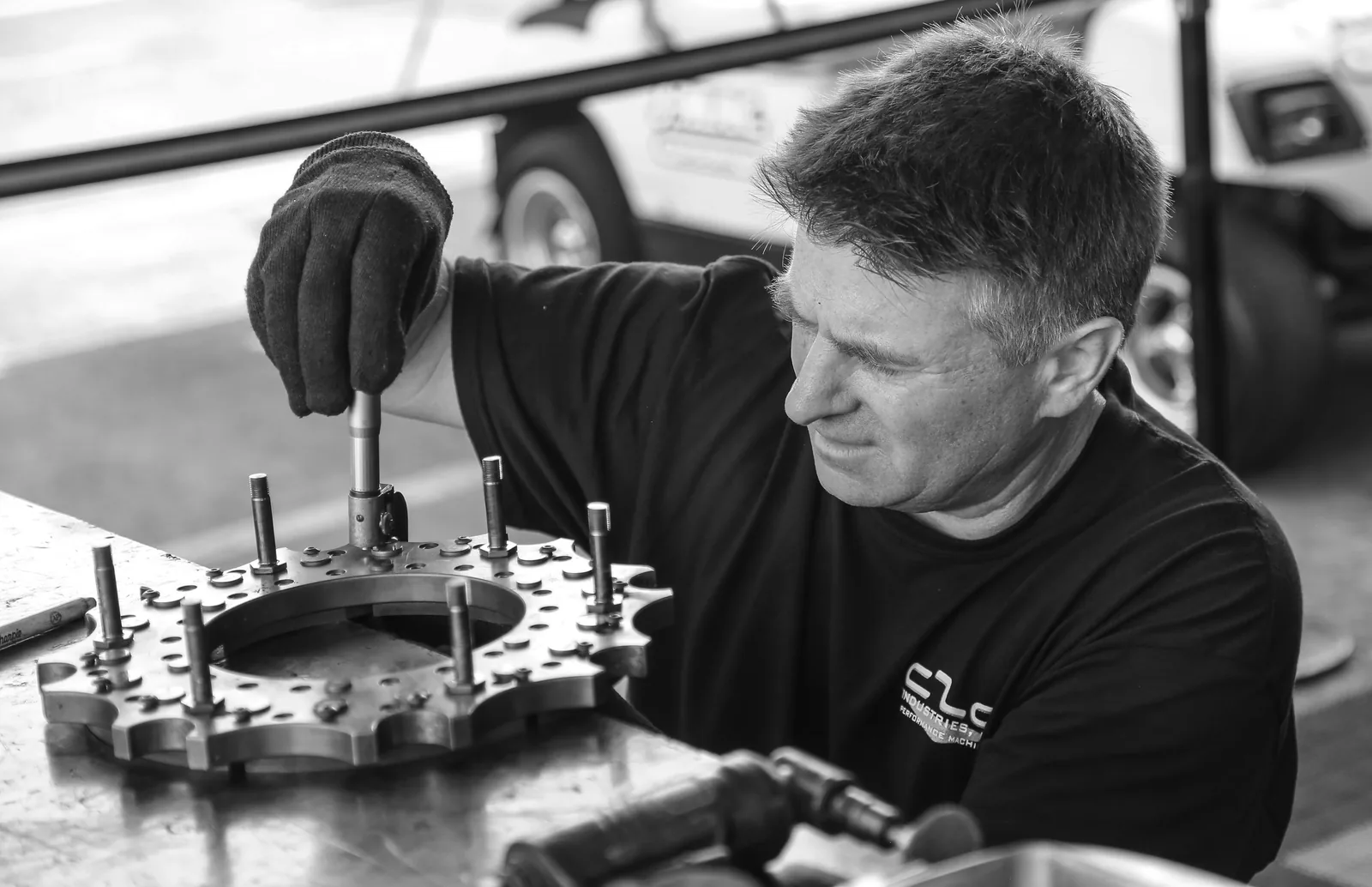
Meet Alex Meyer, a persona I built from the eight interviews.
Alex Meyer
Field Service Technician
Alex often goes abroad to meet technicians on the client’s side. Besides being responsible for assembling machines there, Alex is also involved in the maintenance process, so they have to know the specifics of particular machines and their repair history.
- Travels abroad
- Assembles machines
- Knows each repair history
Their goals
- Create and organize personal notes and information sets in advance, ensuring they have all necessary materials and a clear understanding of the content before arriving on-site.
- Utilize tools and content that are accessible offline to maintain efficiency in areas with severe conditions and limited connectivity.
- Identify necessary spare parts and quickly understand how to change/assemble them without spending the entire day in the office at their laptop.
Their main pain points
- Difficulty navigating static PDF documentation and finding specific parts.
- Needs to contact their lead when they can’t find the necessary information.
- Connectivity issues in remote locations, limiting access to online tools.
- Challenges with outdated documentation and lack of real-time updates.
- Limited offline functionality and poor mobile optimization in current tools.
7 challenges to solve
Designing a companion app, I focused on these key challenges:
- Same online & offline capabilities
- Navigation that doesn’t need explanation
- Clear search
- Efficient space management
- Ensuring that there is always updated documentation on the device
- Multi-tenant management
- Mobile optimization
04 — what changed
one research report changed the plan
Quanos took the app to mobile as well
Based on these insights, I presented findings that led Quanos to reprioritize their strategy for the mobile version of the app.
Quanos had planned to release the app for tablets only. Before I left, the team told me the report had changed that plan, and the app now runs on mobile too. Two of my recommendations from the report have happened since:
- Conduct usability tests on this first iteration of the design
- Adapt the design for mobile
online when you can, offline when you must
Instead of downloading blind, I proposed an online and an offline mode. Online, it works on its own, not just as an add-on to the cloud platform: technicians search for the right documentation, preview it, then decide what to download and keep on the device. In the field, they switch the network off and keep using what they downloaded.
It’s how a streaming app like Netflix⁷ works: watch while connected, or download and keep watching offline.
Material You, adapted for gloves and dirt
The goal was a cross-platform app, optimized mainly for iPads and Microsoft Surface⁶, with extended support for desktops and mobile. I built the UI kit on Google’s Material You, the design system that comes with Flutter. I compared it with Apple’s Human Interface Guidelines (HIG), then adapted Material You for how technicians actually work: on tablets, in tough conditions.
- Gloves
Technicians often wear protective gloves, which make small targets hard to hit.
- Dust and oil
Devices get extremely dirty on site.
- Stiff touchscreens
Some devices, especially cheaper Microsoft Surface tablets, need a hard press to register a tap.
- Bigger buttons
The biggest change came straight from the interviews. Material’s stock button is 40 px tall; the new one is 46 px.
Quanos extended the project from 4 to 5 months, adding research and usability test preparation that weren’t in the original scope.
ready for testing, then handed over
My involvement concluded just as the usability tests were about to be scheduled. I completed all the preparations and handed everything over to the new designer.
Quanos decided to bring design in-house and hired a designer. In my last two weeks I onboarded him: first the product, the design system and the decisions behind it, then the research and the tests. It was his first usability test; he ran it and presented the report.
the app shipped, and almost all of the design is still in it
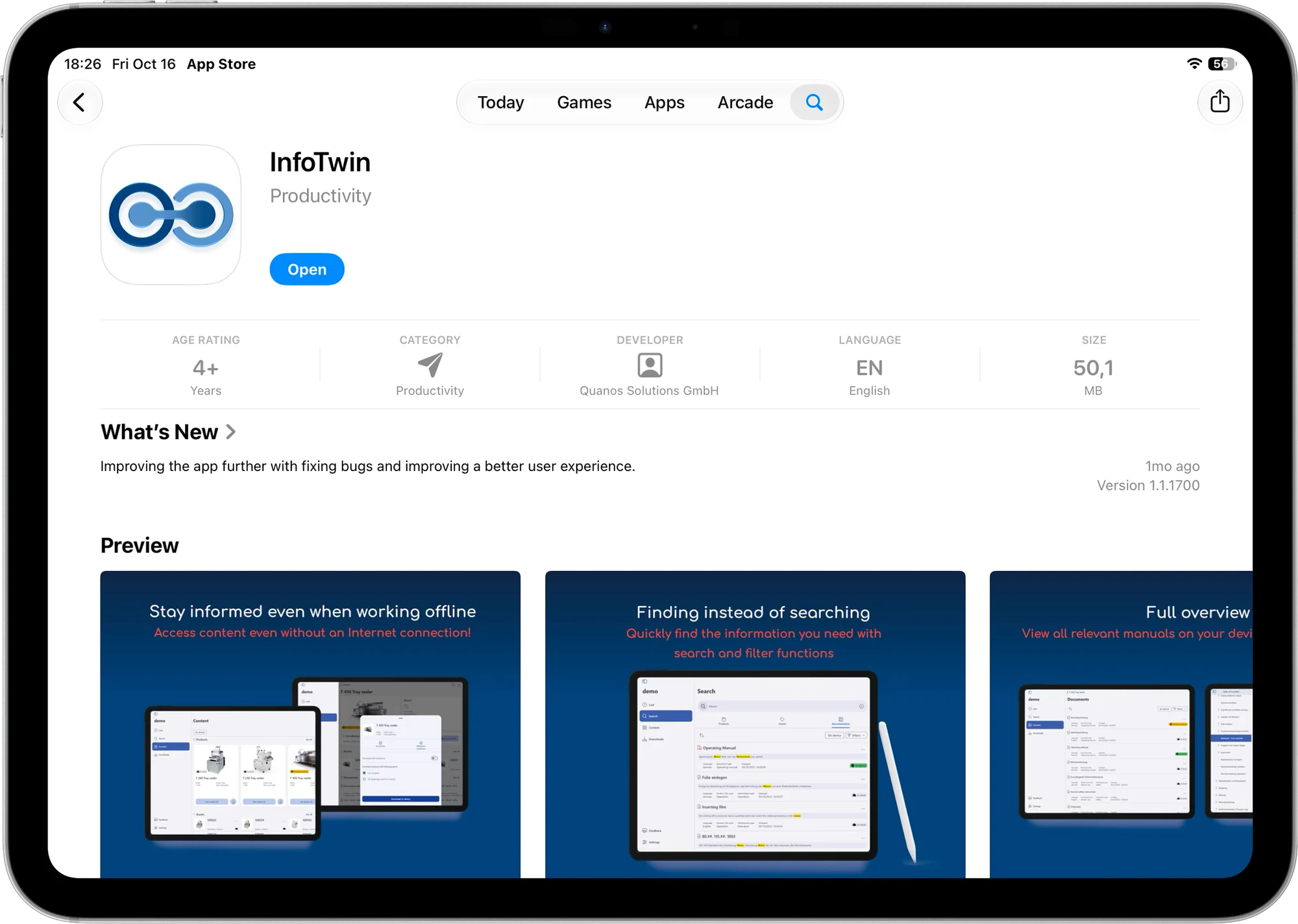
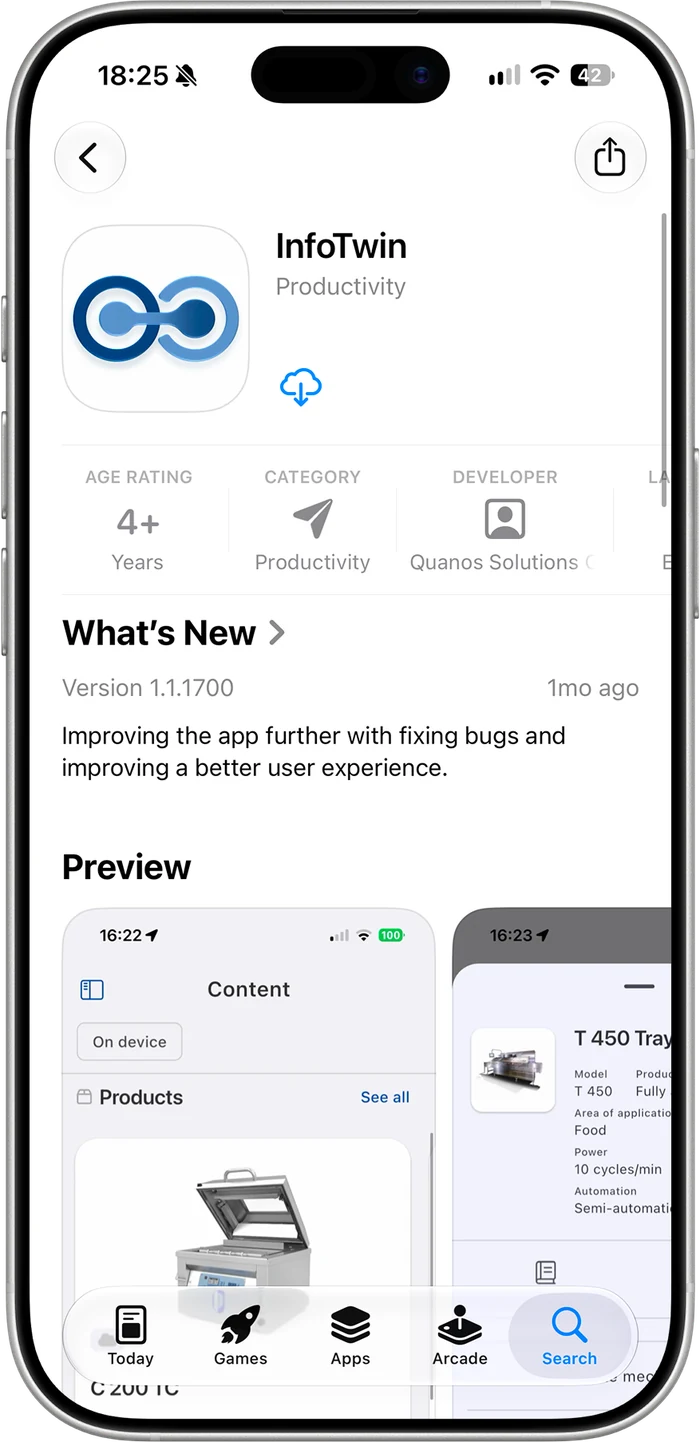
The app came out on the App Store⁵ as InfoTwin in November 2024, reached version 1.0 in May 2025 and is still updated. Offline downloads, search and filters, spare parts and documents are all in it. Almost all of this design is still in the app today.
05 — learnings
the recordings did the convincing
Data changes minds
In B2B software, every change has to justify itself, and teams drift towards easy wins. When I showed a product manager and a technical director, who had never spoken to a user, recordings of real technicians and the photos they sent me, they stopped arguing and started designing from what they’d heard.
¹ The Quanos and InfoTwin names and logo belong to Quanos Solutions GmbH. They’re used here for information only.
² Google, Material You, Material Design, Flutter and Android are trademarks of Google LLC.
³ Jira and Confluence are trademarks of Atlassian.
⁴ Notion is a trademark of Notion Labs, Inc.
⁵ Apple, iPad, iPhone, iPadOS, iOS, App Store and Apple Notes are trademarks of Apple Inc., registered in the U.S. and other countries. Device frames from Apple’s design resources.
⁶ Microsoft, Surface, Windows and OneNote are trademarks of Microsoft Corporation.
⁷ Netflix is a registered trademark of Netflix, Inc.
Persona photo by Glenn Hansen on Unsplash.
All other brands and names belong to their owners, not to it depends. Not sponsored or endorsed by any of them.